That evolution matters for small businesses. Many owners struggle to pick equipment that fits a tight budget but still keeps pace with daily document demands. Choose wrong, and you're stuck with slow print jobs, exposed client data, or toner costs that quietly drain your margins.
The demand for this equipment hasn't slowed down, either. Worldwide hardcopy peripheral shipments reached nearly 22 million units in Q4 2024 alone, up 3.1% year-over-year, according to IDC. Businesses are still investing heavily in print and copy hardware.
This guide breaks down the top copy machines for small business in 2026, the buying criteria that actually matter, and how Metro Atlanta businesses can get hands-on, local guidance.
Key Takeaways
- Balance speed, paper capacity, security, and total cost of ownership — not just the sticker price
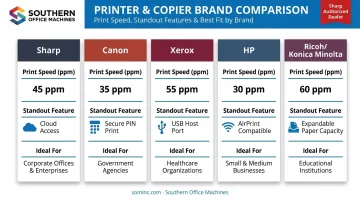
- Sharp, Canon, Xerox, HP, and Ricoh/Konica Minolta each lead in color, size, volume, or price
- Buy-vs-lease decisions and monthly duty cycle shape long-term costs more than the purchase price does
- Southern Office Machines, a local Sharp dealer, ensures correct sizing and reliable Atlanta service
What Today's "Copy Machine" Really Is
Ask for a "copy machine" today and you'll almost always get a multifunction printer (MFP) — a single device that copies, prints, scans, and often faxes, all connected to your network and mobile devices.
The shift happened gradually. Standalone copiers used to sit in a back room, disconnected from everything else in the office. Modern MFPs do the opposite:
- Print directly from laptops, phones, or cloud storage
- Scan to searchable PDFs and route them to email or shared drives
- Copy at speeds that rival dedicated copiers from a decade ago
- Fax, when regulated industries like healthcare and legal still require it
- Connect to platforms like OneDrive, Google Drive, Dropbox, and Box directly from the control panel
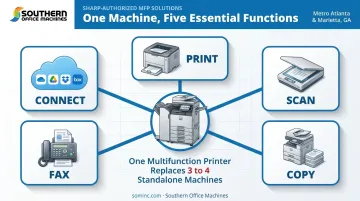
This consolidation delivers measurable savings: a single well-chosen MFP replaces three or four separate machines, folds service contracts into one vendor relationship, and frees up floor space in a small office.
The list below highlights the copy machines best suited to small business budgets, print volumes, and workflows heading into 2026.
Top 5 Best Copy Machines for Small Business
We weighed each machine against five factors: reliability, print/copy speed, security features, total cost of ownership, and scalability for teams that plan to grow.
1. Sharp MX/BP Series — Best Overall for Small Business & Local Support
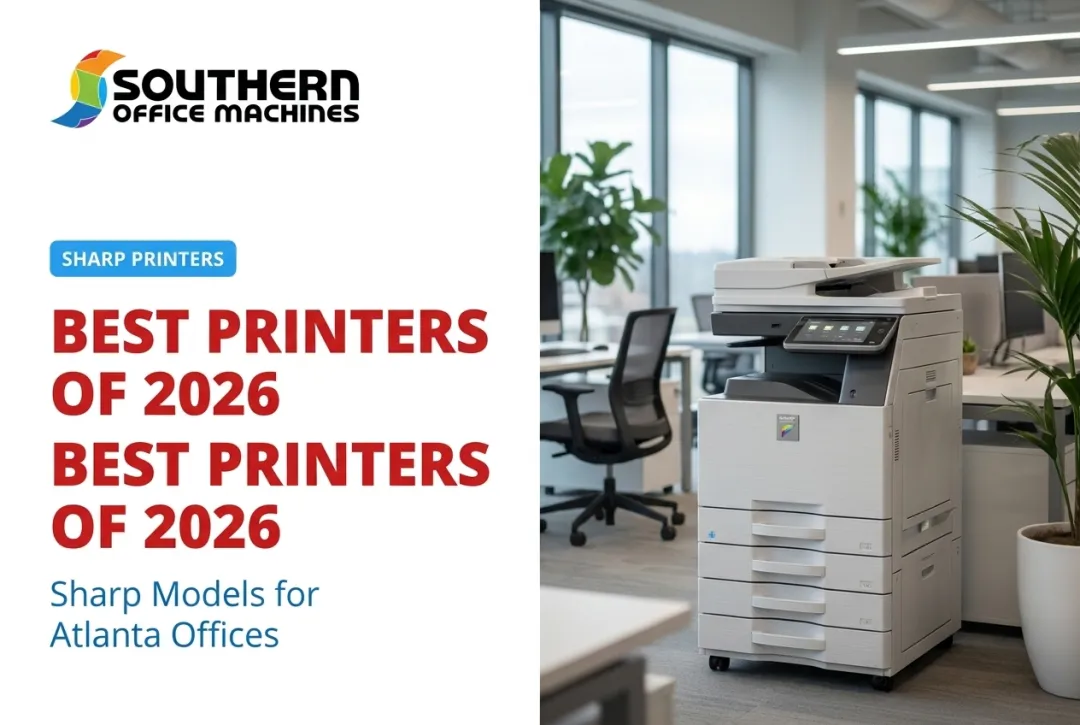
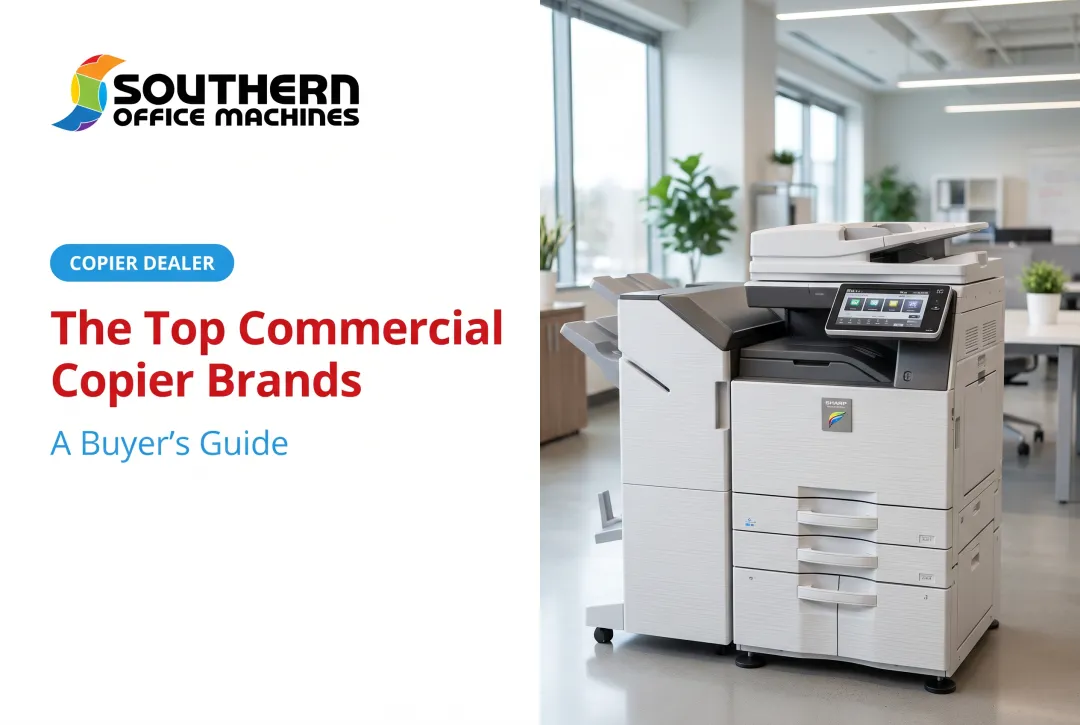
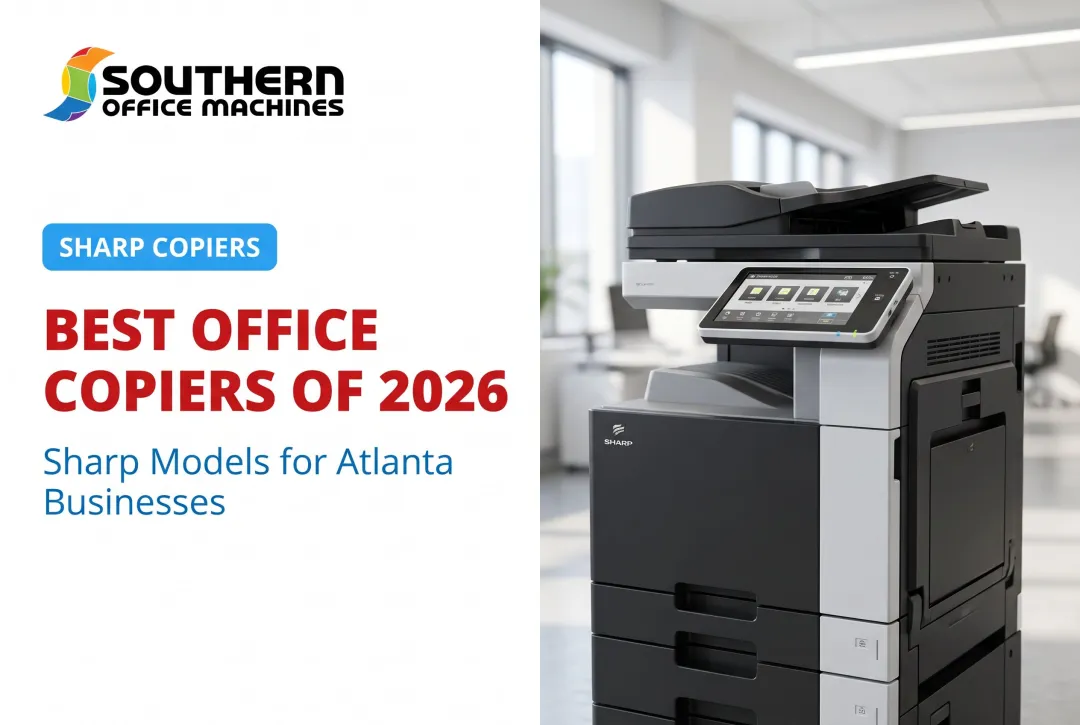
Sharp has built its business copier lineup around small-to-midsize offices for decades, and the MX and BP families reflect that focus. Build quality is sturdy, interfaces are intuitive, and the total cost of ownership tends to stay predictable over the life of the machine.
The Sharp lineup's advantage extends beyond the hardware to the service behind it. Southern Office Machines is an authorized Sharp partner, offering sales, service, and rental support across Metro Atlanta with factory-trained technicians who know these machines inside and out.
| Spec | Details |
|---|---|
| Print Speed | 35–45 ppm across the MX-C358F and BP-C535WD/BP-C545WD models |
| Key Features | Color touchscreen (4.3" to 7"), direct cloud access (OneDrive, Google Drive, Dropbox, Box), AES-256 encryption, TPM 2.0 on select models |
| Ideal For | Small offices wanting a reliable all-rounder backed by local, factory-trained service |
2. Canon imageCLASS/imageRUNNER Series — Best for Color & Versatility
Canon has a strong reputation for compact, color-capable MFPs that don't demand enterprise-level budgets. The imageCLASS MF753Cdw II fits that mold, delivering fast color output without eating up an entire wall of office space.
What stands out is the toner economics. High-yield cartridges keep the cost per page reasonable for businesses that print color marketing materials or client-facing documents regularly, and mobile/cloud printing keeps the device useful for hybrid teams.
| Spec | Details |
|---|---|
| Print Speed | Up to 35 ppm (Letter) |
| Key Features | Automatic two-sided printing, 50-sheet one-pass duplex ADF, PIN-based Secure Print |
| Ideal For | Businesses needing frequent color marketing materials or client-facing documents |
Canon's Secure Print feature deserves a specific mention: the sender assigns a PIN, and the job only prints once someone enters it at the machine. That's a simple fix for the common problem of sensitive documents sitting unattended in an output tray.
3. Xerox VersaLink/C-Series — Best Compact All-in-One
Xerox built the C325 for exactly the kind of office that doesn't have room for a floor-standing copier. It's positioned for remote and hybrid teams, and small offices in general, without sacrificing the print quality larger machines offer.
The touchscreen is genuinely easy to navigate, even for staff who dread learning new office equipment. Duplex printing runs efficiently, and the cost-per-page holds up well against competitors in the same size class.
| Spec | Details |
|---|---|
| Print Speed | Up to 35 ppm (Letter) / 33 ppm (A4) |
| Key Features | 50-sheet single-pass duplex ADF, 100-sheet multipurpose tray, front USB Host connectivity |
| Ideal For | Small shared offices needing a budget-friendly, space-saving multifunction device |
The USB Host port is a small but useful detail — walk up, plug in a flash drive, and print directly without touching a computer.
4. HP LaserJet Pro MFP — Best Budget-Friendly Option
HP built its reputation on affordable, fast laser printers, and the Color LaserJet Pro MFP 4301fdw carries that legacy into the multifunction category. It costs less upfront than most enterprise-grade devices while still covering the core functions a startup needs.
Wireless setup is straightforward thanks to dual-band Wi-Fi and Wi-Fi Direct, and Apple AirPrint support means staff can print from a phone without installing drivers.
| Spec | Details |
|---|---|
| Print Speed | Up to 35 ppm (Letter) / 33 ppm (A4) |
| Key Features | Dual-band Wi-Fi, Wi-Fi Direct, AirPrint, 50-sheet single-pass duplex ADF |
| Ideal For | Startups and small teams with tight budgets and limited office space |
Security isn't an afterthought here, either. HP Wolf Pro Security ships with preconfigured settings, and PIN/pull-print functionality means a job only releases once the right person is standing at the machine.
5. Ricoh/Konica Minolta bizhub Series — Best for High-Volume & Scalability
Businesses that expect growth, including more staff, more clients, and more paperwork, need equipment that can grow with them. The Konica Minolta bizhub C301i family is built for exactly that scenario.
Where the other machines on this list top out around one or two paper trays, the bizhub C361i/C301i/C251i family scales up to 6,650 sheets through expandable paper options. That's a meaningfully different category of machine for a business planning to double its headcount in the next few years.
| Spec | Details |
|---|---|
| Print Speed | 30 ppm (color and monochrome) |
| Key Features | Expandable paper handling up to 6,650 sheets, cloud-scan workflow automation, user authentication and Account Track |
| Ideal For | Growing small businesses anticipating higher print and copy volumes |
Account Track and device/external-server authentication give office managers real control over who prints what, which matters once a team grows beyond a handful of people sharing one machine.
How We Chose the Best Copy Machines
The most common mistake small businesses make is shopping on purchase price alone, then getting blindsided by consumables and service costs down the road. A cheaper machine with expensive toner can easily cost more over three years than a pricier model with efficient cartridges.
We weighed four factors when building this list:
- Reliability and certifications: including ENERGY STAR-qualified models, which meet efficiency standards for automatic duplexing and power consumption
- Security capabilities: encryption, PIN release, and authentication, verified at the specific configuration level rather than assumed from family-wide marketing
- Scalability: how easily a machine's paper capacity and features grow alongside your team
- Real-world serviceability: parts availability, technician access, and response times in your actual service area
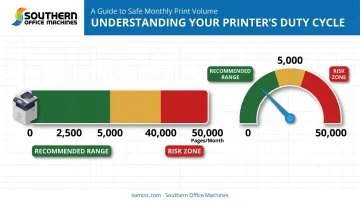
Duty cycle deserves special attention here. Ricoh notes that recommended monthly print volume generally falls between 5% and 10% of a machine's maximum duty cycle: the maximum is a ceiling, not a target.
A machine rated for 50,000 pages a month shouldn't be running at 40,000 pages consistently. Buy or lease based on your typical volume, not the number printed in bold on a spec sheet.
Conclusion
There's no single "best" copy machine for every small business. The right choice depends on your print volume, your color needs, how many people share the device, and how fast you expect your business to grow. A five-person marketing firm and a twenty-person medical office have completely different requirements, even if their budgets look similar on paper.
Before finalizing a purchase or lease, evaluate ongoing performance, scalability, and total cost of ownership — not just the number on the price tag.
Local expertise makes that evaluation easier. Since 1985, Southern Office Machines has helped Metro Atlanta and Marietta businesses match the right Sharp equipment to their actual workflows. Our factory-trained technicians know these machines from the inside out, and every purchase comes with a lowest price guarantee.
If you're weighing your options, reach out for a free consultation. We'll help you find the smallest, sturdiest machine that fits the job, not the biggest one we can sell you.
Frequently Asked Questions
What is the average cost of a copy machine?
Costs vary widely by type. Business News Daily reports desktop laser models running about $300–$700, freestanding office copiers from roughly $1,200–$5,000+, and high-volume equipment above $10,000. Total cost of ownership, including toner, maintenance, and service, matters just as much as the sticker price.
What is the best copy machine for a small business?
There's no universal answer since it depends on your print volume, color needs, and budget. For most small offices printing under 5,000 pages a month, a compact color MFP with cloud connectivity offers the best balance of cost and features.
Do copy machines still exist?
Yes, but they've evolved into multifunction devices (MFPs) that combine printing, scanning, faxing, and cloud connectivity in one machine. The standalone, copy-only device is largely a thing of the past in modern offices.
Should I buy or lease a copy machine for my small business?
Buying suits stable, high-volume use and avoids long-term lease costs, but requires more cash upfront. Leasing preserves cash flow, and dealers like Southern Office Machines often bundle monthly, quarterly, or annual maintenance plans with the lease, making it easier to upgrade as your volume grows.
How do I know which copier size or speed is right for my office?
Base your decision on monthly duty cycle and the number of daily users, not the flashiest spec sheet. A five-person office rarely needs a machine rated for 50,000+ pages a month.
What's the difference between a copier and a multifunction printer (MFP)?
A traditional copier only duplicates paper documents. An MFP adds printing, scanning, faxing, and network or cloud capabilities, making it the more practical choice for nearly every modern small office.